Are Excel and Access production systems?
Learn how to identify Excel and Access production systems, expose their hidden rules, and migrate them without breaking month-end work.
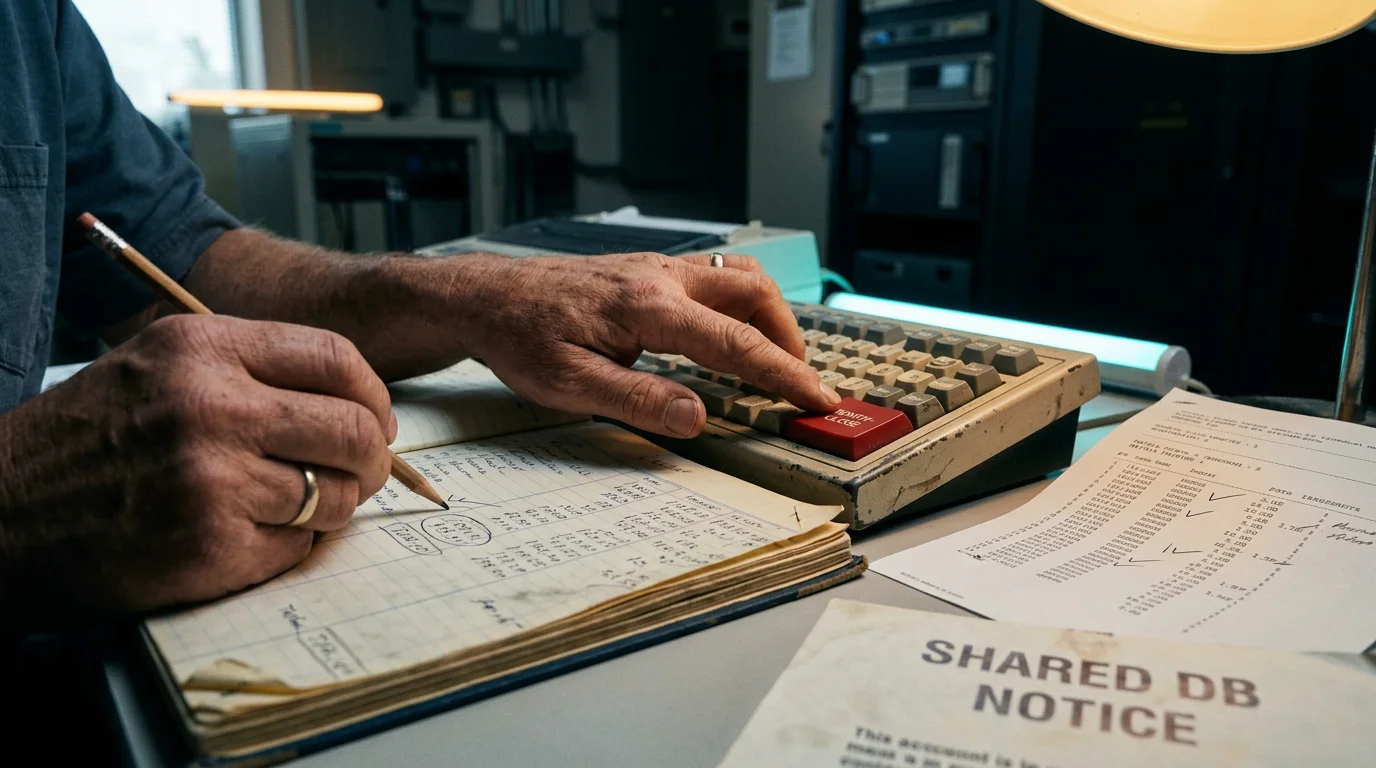
A workbook becomes a production system when the business waits for its answer. An Access file becomes one when people cannot accept an order, reconcile cash, schedule work, or close the month without it. The file extension does not make either tool unsafe. Dependence, shared mutable state, hidden rules, and an improvised operating model do.
I have seen engineering teams dismiss these systems as a few spreadsheets right up to the morning when a macro stopped halfway through close. The finance team knew which tab to open first, which warning to ignore, and why the number in cell G47 had to be pasted as a value before the second run. Engineering knew none of that. The company had production software, but no one had treated it as software.
The right response is not to ban spreadsheets or replace every Access database. First identify what actually runs the business. Then capture its inputs, behavior, outputs, timing, and exceptions. Only then can you move it without turning a technical cleanup into an operational outage.
A production system is defined by dependence
Excel and Access are production systems when a business process depends on their correct and timely behavior, regardless of who built them or where the files live. A spreadsheet used for private analysis is a document. The same spreadsheet becomes a system when it receives recurring inputs, applies business rules, stores state, produces an authoritative output, or triggers work elsewhere.
Ownership is a stronger signal than complexity. Ask who gets called when the file fails. If the answer is a named analyst, a former employee, or the one person who knows the password, you have an on-call arrangement that nobody documented. Ask whether someone can postpone the run. If payroll, invoicing, regulatory reporting, warehouse release, or month-end close waits, the system has a service deadline even if nobody uses that phrase.
Look for four kinds of dependence:
- People coordinate edits, handoffs, or run order around the file.
- Other files, queries, mailboxes, exports, or scheduled tasks feed it or consume its output.
- A formula, query, macro, or manual correction decides a business result.
- The file retains the only accepted copy of a status, mapping, exception, or approval.
Do not score risk by file size or number of formulas alone. A 20 KB workbook that calculates a covenant can carry more operational risk than a 200 MB planning model. Likewise, a small Access file that assigns shipment numbers can be more important than a large archive. Blast radius and recovery time matter more than megabytes.
The awkward test is simple: delete a copy in a thought experiment. If the team can recreate it from a governed source and continue within its normal deadline, it may remain a document. If people would search laptops, restore yesterday's version, call a retiree, or postpone a business event, treat it as production.
The runtime extends beyond the file
The file is rarely the whole system. Its runtime includes network shares, mapped drive letters, ODBC data sources, desktop settings, add-ins, email attachments, scheduled tasks, and the exact sequence people follow. Inventorying only formulas and tables misses the dependencies most likely to break during a move.
Start with one real execution, not an architecture workshop. Sit beside the operator and record every input opened, button pressed, prompt answered, file renamed, and output checked. Record the clock as well. A workbook may technically run at any time but depend in practice on an overnight export arriving before 07:00 or an upstream ledger becoming quiet after close.
For each artifact, capture a compact run ledger:
- Input: path, owner, format, arrival condition, and sample
- Action: macro, query, refresh, paste, edit, or approval
- State: tables, cells, files, and flags changed by the run
- Output: destination, consumer, expected row count, and deadline
- Exception: warning, retry, manual correction, and escalation owner
Then repeat the observation with another operator. The differences are requirements. One person may refresh all connections before running the macro; another may know that refreshing one query corrupts a temporary table. One may filter out blank account codes by habit. These actions are not noise around the system. They are branches in its behavior.
Inspect outside the obvious directory. Workbooks often read a file through a mapped drive that resolves differently on another machine. Access front ends may link tables from a back-end file whose path is stored in the application. VBA can create late-bound objects, invoke command-line programs, or save files under names derived from dates. A scheduled task may open the workbook invisibly and rely on a desktop profile. Document the machine and user context along with the code.
A useful boundary rule is to include anything whose absence changes the result or stops the run. That keeps the inventory practical. You do not need a diagram of the entire finance estate, but you do need the CSV export, regional settings, reference workbook, and shared folder that this run assumes.
Excel macros contain operational code
VBA, formulas, Power Query steps, named ranges, and manual edits all implement rules. Treating only macros as code creates a false map. In mature workbooks, logic crosses these layers: a query loads transactions, formulas classify them, a macro copies selected rows, and an operator overwrites two exceptions before exporting a journal.
Excel calculation state deserves special attention. Microsoft's Excel recalculation documentation describes automatic, automatic except data tables, and manual modes. Its support guidance also explains that all open workbooks share the current calculation mode, and the first workbook opened influences that state. This means a correct workbook can produce stale outputs because another workbook changed the application-level mode. Saving the file may preserve the wrong mode for the next operator.
Do not respond by forcing automatic calculation everywhere. Teams often choose manual calculation because a large workbook becomes unusable while it recalculates. The popular fix hides a performance requirement and can alter the run sequence. Capture which ranges must calculate, when calculation happens, and which outputs the operator checks before export. Then make that sequence explicit in the replacement.
Extract and classify the logic before rewriting it:
- Identify entry points such as buttons, workbook events, scheduled opens, and named macros.
- Trace reads and writes across sheets, named ranges, queries, external files, and database connections.
- Mark volatile inputs including current time, current user, active sheet, selection, locale, and file path.
- Separate deterministic rules from presentation work such as formatting and column sizing.
- Record each manual override with its reason and downstream effect.
A small probe placed at the start and end of a month-end macro can create evidence without redesigning it. The following VBA writes a timestamp, stage, workbook path, calculation mode, and active sheet to a CSV log. Adapt the path and add business counters such as imported rows or posted total.
Sub TraceStage(stage As String)
    Dim f As Integer
    f = FreeFile
    Open Environ$("TEMP") & "\close-trace.csv" For Append As #f
    Print #f, Format$(Now, "yyyy-mm-dd hh:nn:ss") & "," & stage & "," & _
        ThisWorkbook.FullName & "," & Application.Calculation & "," & ActiveSheet.Name
    Close #f
End Sub
The output shape is one row per stage, for example 2026-03-31 18:42:07,after-import,X:\Close\Close.xlsm,-4135,Journal. The value -4135 is Excel's xlCalculationManual. That one line will not explain the workbook, but it can disprove assumptions about which copy ran, which sheet was active, and whether calculation was manual. Remove secrets and personal data before retaining traces.
Access concurrency fails before the headline limits
A shared Access database can hit operational limits long before it reaches Microsoft's published maximum of 255 concurrent users or 2 GB of file size. Those figures describe supported maxima, not a sensible capacity plan. Real trouble arrives through write contention, network behavior, long transactions, record-lock choices, and a front end that holds tables or queries open.
Access supports several locking behaviors. Microsoft's RecordLocks documentation describes optimistic behavior under No Locks: two users may edit the same record, and the second save receives a conflict. Edited Record locks while a user edits, but the documentation notes that a page of records can be locked. All Records can lock the underlying set while a form, report, or query is active. A form setting that looks local can therefore affect colleagues working elsewhere.
The phrase record-locking limit often obscures two different failures. One is a genuine conflict because two people update the same business record. The other is incidental contention caused by how Access groups data, opens a recordset, or runs an action query. Replacing the file with a server database may reduce file-sharing problems, but it does not decide which update should win. You still need a concurrency rule.
Watch for symptoms rather than waiting for a capacity number:
- Users keep local copies of the front end because the shared copy is slow or fragile.
- A lock file remains after crashes, or operators ask everyone to exit before repair.
- Batch queries run only after colleagues close forms.
- People receive write-conflict messages and resolve them by copying text aside or reopening records.
- Compact and Repair has become routine maintenance rather than an exceptional recovery action.
A split database, with a front-end file per user and shared back-end tables, is usually safer than one shared file containing everything. It is still a file-based database across a network. It has not gained server-side transactions, centralized connection control, or independent deployment of business logic. Treat splitting as a containment measure when it reduces immediate contention, not as the final architecture by default.
Backups do not prove recoverability
Copying the workbook or database is necessary, but a successful copy does not prove that you can resume the process. Recovery requires the right file set, a consistent point in the run, working external connections, credentials, desktop dependencies, and an operator who knows what to do with restored data.
A live Access back-end copied while users are writing may not represent a clean business point. A workbook restored without the reference files it linked to may open with cached values that look plausible. A macro-enabled workbook may depend on a trusted location, a signed component, or a missing add-in. Back up the operating context, not merely the visible file.
Test recovery with a disposable environment. Restore the files, disconnect the original shares, and ask someone other than the usual owner to run a representative cycle. They should be able to state which inputs they used, how they recognized completion, and where the outputs went. Compare business totals, not just whether the file opened.
Define recovery points around business transitions. For month-end close, useful points might include input frozen, import complete, adjustments approved, journal exported, and posting confirmed. At each point, list which state can be rebuilt and which state must be preserved. If a macro fails after creating half an output file, the operator needs to know whether rerunning duplicates rows, replaces them, or resumes. That property is called idempotence in software, but the practical question is simpler: what happens when we press the button twice?
Version history can help recover accidental edits, yet it does not replace transaction history. A restored workbook tells you what cells contained. It may not tell you who approved an exception, which source file supplied a number, or whether the exported journal was posted. If the process needs that evidence, store it explicitly in the new system.
Month-end failure exposes the real specification
A failed close usually reveals that the written procedure described the happy path while the production system lived in exceptions. Walk through a typical sequence. Finance receives several exports, renames them to fixed filenames, opens a macro workbook, refreshes queries, and presses a button. The macro clears staging sheets, imports rows, calculates mappings, creates an exceptions tab, and exports a journal.
Halfway through, one source contains a new cost center. A lookup returns #N/A, but an error handler continues. The journal total is low. The operator notices because a control total does not match, adds the mapping to a hidden sheet, recalculates, deletes the partial export, and runs again. The second run succeeds because the operator knows which artifacts the first run left behind.
A literal rewrite of the macro would preserve the dangerous part: continuing after an unmapped value. A superficial requirements interview might miss the hidden mapping and deletion step. The correct specification separates the stages and makes their contracts visible. Import must preserve the source and report row counts. Validation must reject unknown cost centers before journal construction. Mapping changes need an owner and effective date. Export must use a run identifier and refuse an accidental duplicate.
Capture a failure like this as a table of observations, not a polished process chart. For every stage, record precondition, input fingerprint, row count, control total, output fingerprint, and status. A SHA-256 hash can identify an exact input file without storing another loose copy in the log. Keep the file itself under the retention rules that apply to its data.
The failure also exposes an important distinction: reproducing output is not the same as reproducing behavior. Two implementations may create the same journal on normal inputs while disagreeing on duplicate files, missing mappings, dates near midnight, blank cells, decimal rounding, or reruns after interruption. Migration tests need those edges because operators already depend on how the old system handles them, even when that behavior is awkward.
Draw the replacement boundary around decisions
The best migration boundary follows business decisions and state ownership, not worksheet tabs or Access forms. A tab is a presentation unit. A query is an implementation unit. Neither necessarily maps to a service, table, or screen. Start with decisions such as whether an invoice is eligible, which account receives an amount, whether a record may advance, and who may override an exception.
For each decision, name its inputs, rule, output, owner, and history requirement. If a rule changes by effective date, store versions rather than replacing a formula in place. If users may override it, capture reason, actor, timestamp, previous value, and new value. If two users can edit the same case, define optimistic concurrency with a version check or serialize the transition. Do not let the database's default behavior make a business decision accidentally.
Keep Excel where it is genuinely useful. Analysts may still need an export for ad hoc review, scenario modeling, or a familiar sign-off sheet. The production boundary changes when the authoritative state and rules move into a controlled application and database. An exported workbook can remain a view without remaining the only working copy.
Likewise, do not rebuild every Access form pixel for pixel. Ask what task the form completes, what validation it applies, what related records it shows, and what keyboard flow experienced users depend on. Preserve efficient work, not arbitrary screen geometry. A browser client can be worse than Access if it turns a fast data-entry flow into repeated mouse trips and modal dialogs.
A practical target for this class of system is a server application that owns rules and transactions, a relational database that owns state, a client designed around operator tasks, and explicit import and export jobs. Go or TypeScript can handle services, TypeScript can handle the client, and Postgres can enforce constraints and concurrency. The language choices matter less than making ownership and failure behavior visible.
Migrate by strangling risky responsibilities
A controlled migration removes one responsibility at a time while the old system remains available for comparison. A big-bang rewrite forces discovery, implementation, data conversion, user retraining, and cutover into one event. That concentrates uncertainty at the moment when rollback is hardest.
Begin with the responsibility that creates evidence or reduces irreversible risk. You might put an immutable intake service in front of spreadsheet imports, move Access tables to Postgres while keeping the existing front end temporarily, or replace a journal export macro after leaving calculation in place. The choice depends on where failures hurt and where you can compare results.
Do not confuse an Access upsizing exercise with a completed migration. Linking Access forms to server tables can stabilize storage and expose concurrency issues, which may be a useful intermediate state. Business rules can still remain in form events, VBA modules, saved queries, and operator habits. Track every responsibility deliberately so the temporary bridge does not become the undocumented final system.
Data migration needs reconciliation rules before the first load. Decide how to handle duplicate identifiers, blank versus null, dates without time zones, floating-point values, attachment fields, lookup fields, deleted records, and rows that violate the new constraints. Quarantine exceptions with a reason. Silently cleaning them makes the new database look tidy while severing its relationship to the business record.
Run old and new paths against frozen inputs whenever possible. Do not ask users to enter the same live transaction twice; that creates two competing sources of truth. Instead, mirror inputs, replay recorded actions, or compare generated outputs in a controlled window. Keep rollback concrete: name the authority for cutover, the last reversible point, the data that would need replay, and the conditions that trigger reversal.
CodeHero takes on Excel and Access sources and rewrites them into Go, Rust, TypeScript, and Postgres, with delivery under 30 days. That promise is useful only if the work includes the surrounding files, hidden rules, and operator sequence; converting visible VBA alone would leave the production system behind.
Parity must test meaning, not screenshots
A parity harness should feed the same recorded inputs into both systems and compare normalized business outcomes. Screenshot comparison proves little when column widths, sort order, or formatting change. Row counts alone also miss swapped accounts, different rounding, and missing exceptions.
Build a corpus from real production shapes after removing or protecting sensitive data. Include normal runs, boundary dates, empty inputs, duplicate files, missing mappings, conflicting edits, reruns, and interrupted runs. For each case, define which differences matter. An unordered report may permit row reordering. A journal cannot permit a changed account or amount. A timestamp may allow a tolerance, while an approval identity must match exactly.
A useful comparison query groups outcomes at the level finance approves. The exact columns will differ, but the form should be familiar:
select account_code, currency,
       count(*) as line_count,
       round(sum(amount), 2) as total_amount
from journal_lines
where run_id = :run_id
group by account_code, currency
order by account_code, currency;
Run the equivalent extraction against the old output and compare typed values. Preserve leading zeros in codes, distinguish blank from zero, normalize dates deliberately, and state the rounding rule. When results differ, classify the cause as an extraction defect, an understood legacy quirk, a new implementation defect, or an approved behavior change. Do not quietly update expected results until the test passes.
Recorded production traffic gives stronger evidence than hand-picked examples because it contains combinations nobody remembered to specify. It still needs review. Historical traffic may omit rare annual events, failed runs, or actions users avoided because the old system could not handle them. Add cases from incident notes, operator interviews, and calendar-driven processes.
Parity is not permission to preserve every defect forever. It creates a controlled choice. When the old workbook rounds each line and the new service rounds only the final total, expose the difference, quantify the affected records in the corpus, and let the business owner choose. An unexplained difference blocks cutover. An approved change becomes a versioned requirement.
Cutover succeeds when operators can challenge it
The people who run the file should be able to prove the replacement wrong before it becomes authoritative. Give them outputs they can reconcile, exceptions they can inspect, and a route to stop the cutover. Training that only demonstrates the happy path turns experienced operators into passive recipients and wastes the knowledge that kept the old system running.
Use operational acceptance criteria. A new system is ready when a designated operator can complete the process from source arrival to accepted output, recover from a failed stage, explain every rejected item, and reconcile totals without consulting the old author's memory. Support staff need run identifiers, stage status, input fingerprints, error details, and a safe retry action. Management needs a clear owner for rule changes and access decisions.
Plan the final switch around the business clock. Freeze changes to macros, queries, forms, and mappings before the comparison window. Record the exact old versions. Decide what happens to transactions arriving during cutover and how they will be replayed. Retain the old environment read-only for the agreed evidence period, but remove its ability to create new authoritative outputs. Two writable systems produce disputes, not redundancy.
Do not judge adoption by whether users stop complaining. Watch whether they build shadow workbooks to recover missing filters, exports, or exception views. A new spreadsheet at the edge may be a reasonable analysis tool, or it may be the first sign that authoritative logic is leaking out again. Review why it exists before banning it.
Excel and Access can run production work for years because capable people supply the controls the tools do not. A safe migration makes those controls executable, reviewable, and recoverable. The decisive artifact is not a cleaner codebase. It is a close, posting, shipment, or approval that completes on time while the people responsible can see exactly what happened and can stop it when something is wrong.
FAQ
How can I tell whether a spreadsheet is business critical?
Trace what stops when the spreadsheet is unavailable or wrong. If a deadline, payment, posting, shipment, approval, or regulatory output waits for it, treat the spreadsheet as business-critical software and give it an owner, recovery plan, and change control.
Is Microsoft Access safe for multiple users?
Access can support multiple users, especially with a separate front end per user and a shared back end, but safe use depends on workload and locking behavior. Frequent write conflicts, batch jobs that require everyone to exit, or routine repair work show that the design has outgrown comfortable file sharing.
What is the maximum size of an Access database?
Microsoft publishes a 2 GB limit for an Access database file, minus space used by system objects. Do not use that ceiling as a capacity target because performance, contention, backup time, and corruption risk can become unacceptable earlier.
Should we move Access tables to SQL before rewriting the application?
Moving tables to a server database can be a sensible containment step because it centralizes storage and improves transaction control. It does not move rules hidden in forms, queries, VBA, reports, or operator habits, so track it as one stage rather than declaring the migration complete.
How do we discover hidden Excel dependencies?
Observe a real run and record every opened file, refresh, mapped drive, query, add-in, manual edit, and output. Then repeat with another operator and inspect VBA, names, connections, Power Query, formulas, scheduled tasks, and desktop settings.
Can we migrate a spreadsheet without freezing month-end close?
Yes, if you separate responsibilities, replay frozen or mirrored inputs, and compare old and new outputs before authority moves. Define the rollback point and incoming-transaction handling in advance so the close does not become the test environment.
Why does an Excel workbook sometimes produce stale numbers?
Excel's calculation mode applies across open workbooks, and a workbook opened earlier can influence that mode. A month-end process should record and control calculation explicitly, then verify business totals before exporting results.
What should a parity test compare during migration?
Compare typed business outcomes such as identifiers, statuses, account totals, exceptions, and audit events. Normalize only differences the business accepts, such as irrelevant row order, and investigate every unexplained mismatch before cutover.
Should the replacement copy every spreadsheet formula and Access form?
No. Preserve decisions, validation, outputs, efficient operator flow, and agreed edge behavior. Rebuilding every formula or screen literally carries old implementation accidents into the new design and often misses rules that live outside the file.
When is an Excel export still acceptable after migration?
An Excel export is fine for analysis, review, or a familiar sign-off when the controlled application and database remain authoritative. It becomes a production risk again when edits in the exported file silently determine official state or business rules.