VB6 in 2026 still runs, but the build is the risk
VB6 in 2026 can run on current Windows, yet its unsupported IDE, COM dependencies and lost build knowledge make recovery the urgent problem.
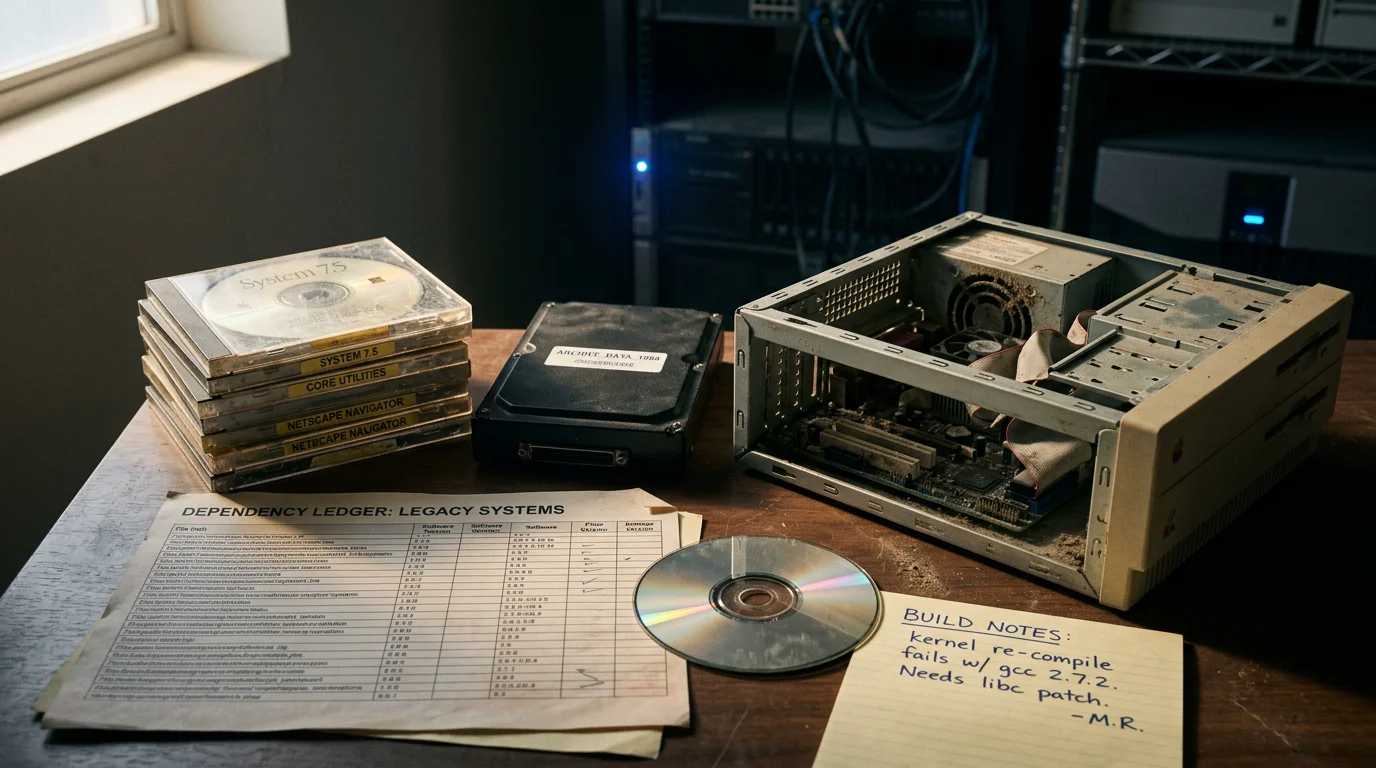
A VB6 application that launches on Windows 11 has proved one narrow thing: its current executable can find enough of its runtime environment to start. It has not proved that the application can be rebuilt, repaired, installed on a clean machine, or recovered after a failed disk. Those are separate capabilities, and most long-lived VB6 estates have tested only the first.
The dangerous date is not when Windows refuses to run the EXE. It is when the last machine with the right compiler, service pack, OCX files, type libraries, registry state, source revision, installer project, database driver and operator memory stops booting. At that point a one-line business change can become a recovery project. Treat the working application as evidence to capture, not as proof that there is no problem.
Runtime support does not make VB6 development supported
Microsoft still supports the core VB6 runtime on supported Windows versions, but it does not support the VB6 IDE. That distinction explains both why old applications keep working and why maintaining them gets harder each year. Microsoft's Visual Basic 6.0 Support Statement says its compatibility goal for existing applications is It Just Works. The same statement says development in the IDE has been unsupported since 2008 and recommends replacing VB6 applications with modern technology.
The support bar is also narrower than many managers assume. Microsoft describes servicing for the runtime as covering serious regressions and critical security issues for existing applications. It is not a promise that an old installer, a third-party grid control, an abandoned database provider, or the compiler will work on every future workstation. Microsoft separates the core runtime files shipped with Windows, supported extended files that an application must distribute, unsupported files, and third-party components governed by their own vendors.
So a green Windows compatibility test does not settle the engineering question. It tells you that this binary and this collection of dependencies ran during this test. It says nothing about whether the source still produces that binary. A compiled application can remain stable for years while the ability to change it quietly disappears.
I use four separate status labels in an estate review: runnable, installable, buildable and explainable. Runnable means an existing installed copy starts. Installable means a clean supported Windows image can receive the application from controlled media. Buildable means controlled source can produce a traceable binary. Explainable means the team knows which external systems, file formats and business rules the application depends on. Calling all four supported hides the exact risk the review should expose.
The EXE depends on much more than MSVBVM60.dll
A typical VB6 executable depends on the 32-bit runtime, COM registration, ActiveX controls, data-access providers, configuration outside the repository and assumptions about its host machine. The dependency set is often larger than the list in the project file because VB6 code creates objects by ProgID, loads plugins by convention, shells out to helper programs and reads paths from the registry or INI files.
Start with the compiled boundary. VB6 normally produces 32-bit native code or p-code, and the runtime files remain 32-bit. On 64-bit Windows, the process runs under WOW64. Any in-process DLL or OCX loaded by it must therefore have a compatible 32-bit build. A 64-bit replacement registered under a similar name does not satisfy a 32-bit COM client. Bitness is part of the interface, even when the source never mentions it.
Then account for COM identity. VB6 projects refer to type libraries and components by GUID, version and class identity. The registry maps those identities to a physical server. Copying an OCX beside an EXE does not necessarily register it, and registering the wrong build can fix one application while breaking another. Binary compatibility settings in the VB6 project also affect whether a rebuilt DLL preserves class IDs and interface IDs for its callers. A careless rebuild can therefore compile cleanly and still strand every client.
Data access adds another layer. Applications may use ADO, DAO, RDO, ODBC DSNs, Jet databases, proprietary database clients or provider names assembled at runtime. A connection string in source is only part of the dependency. Machine DSNs, aliases, client libraries, certificates and service accounts may live entirely outside version control. Locale settings can affect decimal parsing, date literals and sort order. Printer drivers can affect report pagination. Old desktop software has a habit of turning workstation state into application state.
Finally, inspect the files that look unimportant: .vbp, .vbw, .res, .frx, .ctl, .ctx, .dsr, .pag, installer scripts and compatibility binaries. A form file without its matching .frx can lose embedded images or control data. A project that references a binary compatibility DLL on one developer's drive may generate new COM identities when that file disappears. Source code alone is not a build archive.
Windows 11 is carrying a 32-bit compatibility island
VB6 applications run on current 64-bit Windows because Microsoft ships and tests the core runtime and Windows supplies the WOW64 environment for 32-bit processes. That is deliberate compatibility work, not evidence that VB6 has become a current development platform. The runtime, the IDE and each external component have different owners and support states.
WOW64 also explains several confusing paths. A 32-bit process that reaches for the system directory may be redirected, and 32-bit COM registration is viewed through the 32-bit registry path. Administrators who use the 64-bit regsvr32 against a 32-bit OCX get an error or register the wrong component context. On a 64-bit system, the 32-bit registration tool is normally the one under SysWOW64, despite the name. The naming is historical and has wasted many maintenance windows.
Do not respond by copying random DLLs into system directories until the program starts. That changes global machine state without recording which application owns the file, which version won, or how to reproduce the result. Package the exact redistributable dependencies you have the right to distribute, install them predictably, and test on a clean image. If the application needs an unsupported third-party control, record that as a migration constraint rather than pretending the core runtime's support covers it.
Server deployments need another check. Microsoft's support statement says the listed Windows Server support applies to 64-bit editions and excludes Server Core for VB6. A desktop executable running under WOW64 on a full server installation does not imply that it belongs in a headless Server Core image. The supported host boundary should be written into the application's deployment record.
Build a dependency ledger from evidence
A useful dependency ledger combines static references, machine state and observed behavior. None of those sources is sufficient alone. The project files show declared references, the registry shows what the build machine resolves, and runtime observation reveals late-bound objects and external processes. Capture all three while the known-good machine still works.
On the build machine, run these commands from a PowerShell prompt and save the outputs with the source snapshot:
Get-ChildItem -Recurse -Include *.vbp,*.mak |
  Select-String -Pattern '^(Reference|Object)=' |
  ForEach-Object { '{0}:{1}:{2}' -f $_.Path,$_.LineNumber,$_.Line } |
  Set-Content declared-com-references.txt

Get-ChildItem -Recurse -Include *.vbp |
  ForEach-Object { Get-FileHash $_.FullName -Algorithm SHA256 } |
  Export-Csv project-hashes.csv -NoTypeInformation

Get-CimInstance Win32_Product |
  Select-Object Name,Version,Vendor |
  Export-Csv installed-products.csv -NoTypeInformation
The first output has one declared Reference= or Object= line with its source file and line number. The second gives you a hash for every project file. The product inventory is imperfect because not every dependency uses Windows Installer, but it gives you a comparison point. Do not repeatedly run Win32_Product across production machines because it can trigger installer consistency checks; this is a one-time capture on the isolated build workstation.
Add file metadata for every DLL and OCX actually referenced: original path, SHA-256 hash, file version, product version, signer, architecture, license source and redistribution status. Export the relevant 32-bit COM registry entries only after you resolve each GUID from the project. Record database client versions, ODBC drivers and DSNs, environment variables, fonts, regional settings, printer drivers, scheduled tasks, shares and service accounts. Secrets belong in your secret store, not in the ledger. The ledger should name the secret and its owner without copying its value.
Then watch a representative run with a file and registry activity monitor. Exercise startup, login, a normal transaction, imports, exports, reports, printing, failure handling and shutdown. Compare observed file, registry, network and process access with the declared inventory. Any late-bound ProgID, helper EXE, mapped drive or writable installation folder that appears only at runtime goes into the ledger.
Finish with a clean-room install. Start from a disposable supported Windows image, apply only documented prerequisites, install the application, and run the acceptance path. If an engineer must fetch a control from an old workstation or remember an undocumented registration command, the application is not installable yet. Record the gap rather than repairing the image by hand and calling the test complete.
When the last build machine dies, source is not enough
If the only proven build machine fails, the team loses a resolved environment, not merely a computer. Rebuilding it means rediscovering which compiler media and service pack were used, which components were licensed, how references resolved, what binary compatibility files anchored COM identities, which preprocessing or installer steps ran, and whether the repository contains the source revision that produced production.
The first symptom usually arrives during an urgent change. A tax rule, endpoint, certificate, database password policy or file layout changes. An engineer installs the IDE in a virtual machine, opens the project, dismisses a few missing-reference dialogs, replaces an unavailable control and gets a successful compile. The resulting executable starts, so it is promoted. Then a rarely used form fails because the replacement control serializes properties differently, or a COM client cannot create a rebuilt class because its interface identity changed. Successful compilation was mistaken for behavioral parity.
Licensed ActiveX controls make recovery worse. Some controls need design-time license entries to load in the IDE even though the compiled application runs with a runtime license. The vendor may be gone, activation may no longer exist, and copying an installed OCX may violate the license or omit registry data. There is no engineering trick that repairs missing legal rights. Identify ownership and redistribution terms while procurement records and staff memory still exist.
A disk image of the build workstation helps, but it is not a complete answer. Images carry hidden state, credentials, malware risk and an operating system that eventually becomes unsafe to connect. They also do not prove that a clean checkout builds. Keep a restricted image as evidence and an emergency bridge, then create a scripted, isolated build from controlled inputs. If you cannot reproduce the build without the image, say so plainly in the risk register.
Decompilation is a last-resort recovery technique, not a substitute for source control. Native-code executables lose names and structure, p-code presents different recovery possibilities, and neither restores comments, build scripts, original forms or design intent reliably. You may recover enough behavior to investigate a defect. You should not base a planned modernization on the hope that a binary can be turned back into the original project.
Preserve a build before changing the application
The safest first move is to freeze and reproduce the current build, without mixing that work with feature changes or migration edits. You want a baseline whose input, toolchain, output and behavior can be compared. Changing code while reconstructing the environment destroys the reference point.
Capture these items as one controlled package:
- The full repository revision, including form resources, installer sources and binary compatibility references.
- Installation media, service packs, redistributable controls, license evidence and checksums.
- A machine inventory and a restricted image of the known-good workstation.
- Exact build commands, project order, conditional compilation symbols and packaging steps.
- Hashes of production binaries and a signed record of which build is deployed where.
Now perform a clean checkout and build in an isolated virtual machine. Keep network access off unless a documented build input requires it. Compare output files, exported COM interfaces and installer contents. Byte-for-byte equality may not be possible because timestamps and compiler metadata can vary, so define what equality means before accepting the build. At minimum, inspect file versions, dependencies, class identities and behavior under the acceptance suite.
Use a tiny build record for every attempt. It can be JSON, CSV or a signed text document, but it should contain the source revision, environment image identifier, tool and dependency hashes, commands, operator, timestamp, output hashes and test result. The purpose is traceability. Six months later, another engineer should be able to identify exactly what produced an executable without asking the person who built it.
Do not put the rescued VM on the normal corporate network and call that continuity. An unsupported IDE and old third-party installers expand the attack surface, while old database clients may demand protocols you should have retired. Isolate the build, broker inputs and outputs through controlled transfer, scan artifacts, remove standing credentials, and log access. That buys time. It does not make an unsupported toolchain healthy.
Age alone does not set the migration date
A VB6 application's priority comes from recoverability, change pressure and consequence of failure, not its birthday. Two programs compiled in the same year can deserve opposite decisions. A read-only lookup tool on an isolated workstation may tolerate containment, while an order-entry client with weekly rule changes and direct production writes may need replacement before the next requested feature.
Score recoverability first. Can the team install the released package on a clean, supported Windows image? Can it build the deployed revision from a clean checkout? Are every control, license and database provider accounted for? Can more than one person perform the release? A no on the clean build raises urgency even when users report no defects, because the next change has an unknown lead time.
Then score change pressure. Count actual requests that require code changes, not general dissatisfaction. Certificate rotations, API changes, tax rules, authentication requirements, database upgrades and new file formats all consume the same shrinking toolchain. A feature backlog matters, but a mandated external change with a fixed date matters more. The application may be functionally finished and still face compulsory changes imposed by systems around it.
Consequence needs concrete failure modes. Ask what happens if the application cannot start for a day, produces a wrong calculation, loses a transaction, or cannot be reinstalled after a workstation replacement. Name the manual fallback and test whether staff can perform it at current volume. A recovery plan that depends on a retired employee or an unopened box of installation media is not a plan you can cost.
Security exposure changes the answer too. A local tool that reads controlled files has a different risk than a client that accepts internet-originated documents, connects with broad database rights or requires obsolete network protocols. Do not label all VB6 software insecure merely because of its language. Trace its inputs, privileges, dependencies and network paths. The unsupported IDE belongs in an isolated build environment regardless of where the application runs.
I record the decision with an owner, evidence date and trigger, not a vague red status. A containment decision might remain valid until the host OS leaves support, a component license cannot be renewed, the clean build fails, or a named integration announces an incompatible change. Review against those triggers. This prevents both panic rewrites and the more common failure, letting a temporary exception renew itself forever without anyone signing for the risk.
The cost comparison must include more than developer hours. Add the expense of keeping old images, restricted network zones, scarce component knowledge, manual deployment, incident recovery and delayed business changes. For replacement, include data reconciliation, parallel operation, user training, cutover and decommissioning. Honest estimates can still favor containment. They should not make old-system labor disappear just because it sits in operations rather than a project budget.
The realistic exits have different risk profiles
There are five defensible paths, and the right one depends on rate of change, operational exposure and how much behavior you can observe. Leave it alone is a decision only when the executable has a bounded life, the build is recoverable, the host is controlled and the business accepts the failure plan. Running by inertia is not the same choice.
Virtualizing the application preserves an old environment and can separate it from workstation churn. It is useful for low-change internal tools, especially when hardware integration is limited. It also freezes old weaknesses, licensing constraints and operational knowledge inside an image. Virtualization protects availability from a laptop replacement; it does not modernize the application or restore vendor support.
Wrapping the VB6 system behind an API can reduce direct access to its database and give new clients a stable boundary. This works when the old program already exposes callable business operations or can be driven through a controlled adapter. It works badly when automation depends on desktop UI timing, modal dialogs, shared files or global machine state. UI automation is a temporary bridge with an explicit removal date, not an integration architecture.
Incremental replacement moves one bounded capability at a time. It can reduce deployment risk when module boundaries are real and the team can run old and new paths together. It can also create years of dual writes, COM interop, duplicate rules and reconciliation if the boundaries exist only on a diagram. Choose increments around observable business transactions, not around source folders.
A full rewrite is justified when the system is tightly coupled, the build is failing, the target architecture changes the operating model, or the cost of maintaining two systems exceeds the transition risk. The common objection is that rewrites discard hidden business rules. That is true when the team treats source as the specification and tests only happy paths. A rewrite becomes defensible when recorded behavior, data and edge cases form an executable comparison oracle.
Automatic line-by-line conversion is the recommendation I argue against. It is popular because it appears to preserve scope and offers a measurable conversion percentage. It usually carries global state, UI-era coupling and accidental database behavior into a new language, then adds interop glue where conversion failed. You end up with legacy architecture that is harder to diagnose because its familiar runtime semantics have changed. Preserve behavior, not the old arrangement of files and forms.
Recorded behavior is the migration contract
A migration test should compare business effects at a transaction boundary, not merely compare screens or function return values. For each representative operation, capture the normalized request, starting data, relevant configuration, external responses, database changes, generated files, messages and user-visible result. Replay the same case against the replacement and compare the effects after removing volatile fields such as timestamps and generated identifiers.
A compact parity case can look like this:
{
  "case": "invoice-credit-partial",
  "input": {"invoice_id": 4812, "amount": "37.50"},
  "expected": {
    "status": "partially_credited",
    "ledger_delta": "-37.50",
    "document_type": "credit_note"
  }
}
The case name matters less than provenance. Record which production workflow supplied it, redact personal data, version the fixture, and keep the comparison deterministic. Sample routine cases and awkward ones: empty strings versus nulls, locale-specific decimals, leap dates, duplicate submissions, timeouts, partial failures and retries. VB6 applications often encode error handling in event order and shared state, so test sequences as well as isolated operations.
Golden-master tests alone can preserve bugs. Classify mismatches into intended correction, harmless representation difference, missing behavior and test defect. A product owner must approve intended changes, because engineers cannot decide that an odd accounting rule is accidental by reading the code. Keep the original result beside the approved new expectation so the decision remains auditable.
Production traffic gives better coverage than invented unit cases when you can record it lawfully and safely. CodeHero uses a parity harness against recorded production traffic while rewriting the architecture rather than transliterating the source. The principle stands without any particular vendor: capture what users actually ask the system to do, sanitize it, replay it, and compare durable effects.
Choose the target from the system boundary
The target should follow deployment, failure and ownership boundaries, not language fashion. A desktop application that mainly validates input and calls a central database may become a TypeScript client plus services and Postgres. A calculation-heavy module may justify Rust around a small numeric kernel. A transaction service with straightforward concurrency and operations may fit Go. Those are design conclusions, not automatic replacements for VB6 syntax.
Start by drawing the current execution boundary. Mark which work must happen on the user's machine, which work belongs near the database, which integrations require ordered calls, and which outputs must remain byte-compatible for downstream consumers. Decide where identity, authorization, retry behavior and audit records live. If two replacement components must share a database transaction and deploy together, calling them separate services has bought a network failure mode, not independence.
Data migration needs the same discipline as code. Preserve identifiers, decimal precision, character encoding, null behavior and historical status values before improving the schema. Run reconciliation queries across totals and state transitions, not only row counts. If the old application writes directly into tables from many forms, place a controlled write boundary around that behavior before splitting ownership.
For a system that must leave VB6 quickly, CodeHero reads the whole codebase, rewrites it into Go, Rust and TypeScript with Postgres where appropriate, and delivers each project in under 30 days. Whether you use that route or your own team, demand the same evidence: a reproducible source baseline, explicit architecture decisions and parity results tied to recorded behavior.
Do not wait for an operating system release to make the decision for you. Windows compatibility can keep the executable alive while build knowledge, component rights and staff memory disappear. Prove a clean build now, capture the dependency ledger and record real transactions. Then choose containment, incremental replacement or a rewrite while the working system can still tell you exactly what the replacement must do.
FAQ
Does VB6 still run on Windows 11 in 2026?
Yes, many existing VB6 applications run on Windows 11 because Microsoft supports the core runtime there and Windows provides WOW64 for 32-bit processes. That does not cover the unsupported IDE or every OCX, database provider and installer your application uses.
Is the VB6 runtime still supported by Microsoft?
Microsoft supports the core VB6 runtime for the support lifetime of Windows versions where it ships. Its servicing bar focuses on serious regressions and critical security issues for existing applications, not ongoing VB6 development.
Is the VB6 IDE supported on Windows 11?
No. Microsoft has not supported the VB6 IDE since 2008, even though teams sometimes manage to install and run it on newer Windows versions. A working installation is an operational fact, not a supported development configuration.
Can a 32-bit VB6 application run on 64-bit Windows?
Yes, it normally runs under WOW64. Its in-process DLL and OCX dependencies still need compatible 32-bit builds, and administrators must use the correct 32-bit registration context.
What files are needed to rebuild a VB6 application?
Keep the complete project tree, form resource files, custom controls, type libraries, binary compatibility references, installer sources, compiler media, service packs and license evidence. Also capture registry, DSN, database client and build-order information that the repository does not contain.
What happens if the only VB6 build machine fails?
You lose the resolved toolchain and machine state that turned source into the deployed binary. Recovery may stall on missing controls, licenses, service packs, COM identities or an unknown source revision, even when production keeps running.
Should we virtualize our VB6 application?
Virtualization is sensible containment for a stable, low-change application with a bounded remaining life. It does not restore IDE support, remove old dependencies or prove that a clean source checkout can be built.
Is automatic VB6 code conversion a safe migration path?
Treat automatic conversion as an aid, not a migration plan. Line-by-line output tends to preserve global state and desktop-era coupling while changing runtime semantics, so behavior tests and architecture work still carry most of the risk.
How do we test a VB6 rewrite?
Capture representative transactions with their starting state, external responses and durable effects, then replay them against old and new systems. Normalize volatile values, compare database changes and files, and have the business approve any intentional behavior change.
Should we migrate VB6 to .NET, Go, Rust or TypeScript?
Choose from the system boundary and operating model, not from syntax similarity. Desktop interaction may suit TypeScript, transaction services may suit Go, and a small numeric kernel may suit Rust; .NET can make sense where Windows integration remains intentional.